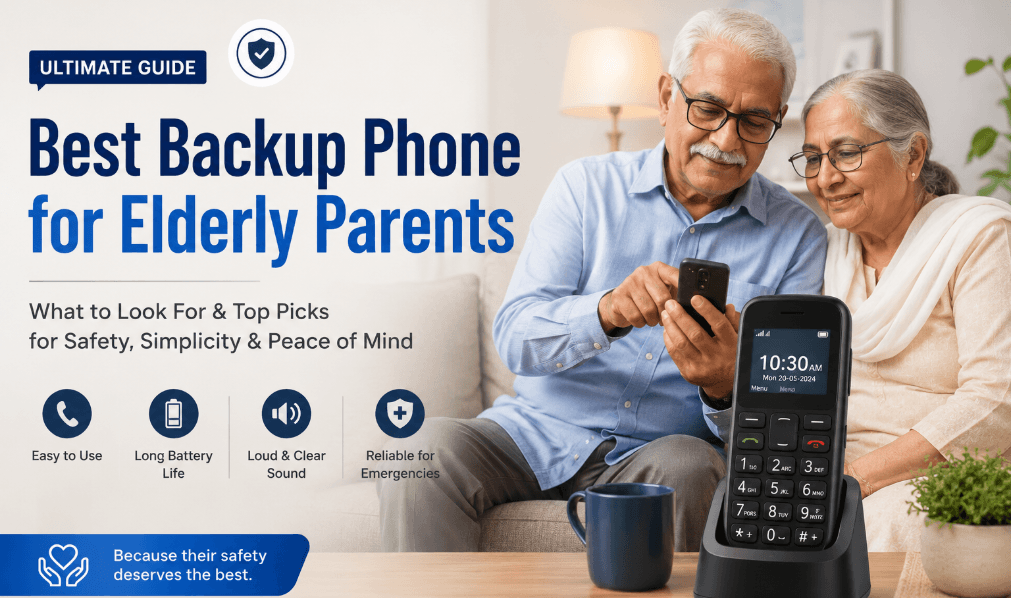
Best Backup Phone for Elderly Parents: What to Look For
Written by the Kunshop Mobile Accessories Team. Reviewed for accuracy on [insert date]. We sell the products mentioned below — we’re highlighting them because they fit what this guide recommends, not the other way around.
Most families figure out they need a backup phone the hard way. A missed call during an emergency. A battery that’s died at exactly the wrong moment. A parent who’s given up trying to unlock a screen that keeps freezing on them. If you’re searching for the best backup phone for elderly parents, chances are you’re not chasing the flashiest device out there — you just want something that works, every time, without a 9pm phone call asking which button to press.
Here’s what actually matters when you’re picking a phone for an aging parent, why it’s worth having a second device even if they already own a smartphone, and how to set it up so it gets used instead of forgotten in a drawer.
Quick Answer: For most elderly parents, the best backup phone is a simple keypad model with large buttons, loud audio, an SOS button, and long battery life — the Nokia 3310 or Nokia 6310 are solid picks. If budget is the main concern, something like the itel it2173 does the job too.
Why Elderly Parents Need a Backup Phone in the First Place
A primary phone can go down for all kinds of reasons — a cracked screen, a battery that won’t hold charge anymore, a forgotten password, or an update that suddenly rearranges everything on the screen. For most of us that’s just annoying. For a parent living alone, it can mean sitting for hours with no way to call anyone.
A backup phone isn’t really about having a spare for the sake of it. It’s about peace of mind — knowing there’s a second device, already charged, with emergency numbers saved, so that’s one less thing on your mind when you can’t be there in person.
This matters even more in Pakistan, where a lot of adult children are living in another city or overseas while their parents stay home. A second phone closes that gap, and it doesn’t have to be expensive or complicated to pull its weight.
Smartphone or Basic Phone: Which One Actually Suits Your Parent?
This is usually the first decision, and honestly, there’s no universal right answer — it comes down to the person.
If your parent already gets frustrated with touchscreens, forgets where app icons are, or gets thrown off by notifications popping up, go with a basic keypad phone. Physical buttons give feedback you can feel, and there’s basically nothing to learn.
If they’re already fairly comfortable with a smartphone — maybe they use WhatsApp to look at photos of the grandkids — a simplified smartphone can work as a backup that still lets them do what they enjoy, just on a second, easier-to-manage device. Kunshop.pk’s mobile phones section has both types, so it’s worth a browse before deciding.
Between the two, a basic phone usually wins as a backup for one reason: it rarely needs troubleshooting. Nothing to update, nothing that crashes, nothing that depends on a data connection just to function.
What to Look for in a Phone for Elderly Parents
Once you’ve picked a lane — basic or smart — the feature list matters a lot more than whatever brand name is on the box. These should be non-negotiable:
- Large Buttons: Well-spaced buttons or icons that don’t need precise fingertip control.
- Bright Display: High-contrast screen that’s readable without glasses in most lighting.
- Loud, Clear Audio: A boosted call and ringtone volume mode so nothing gets missed in a noisy room.
- Hearing-Aid Compatibility: Look for a HAC rating if your parent already wears hearing aids.
- Long Battery Life: At least a full day of active use, or several days on standby.
A few extras separate a phone that’s actually built for seniors from one that just looks simple in the store:
- SOS Button: Should connect to a saved contact with minimal steps — no digging through menus.
- Speed Dial: A dedicated key so your parent can reach you with one press.
- Charging Dock: A cradle beats a tiny USB port that’s easy to fumble with.
- GPS/Location Sharing: Handy for family to check in, if your parent’s comfortable with it.
- Durability: Should survive an accidental drop onto a tile floor.
Five Backup Phone Options Worth Considering
Instead of guessing at spec sheets, here are five actual devices that hit most of the marks above — a mix of brands and price points, all available through kunshop.pk.
Nokia 3310: Still the Nokia 3310 most parents already recognize on sight. Tactile buttons, a battery that lasts for days, next to no learning curve. Roughly [price range]. Good if simplicity is really all you need.
Nokia 5310: A step up in size, with a bigger display and a built-in music player, for a parent who wants a little more than pure calling without crossing into smartphone territory. Roughly [price range]. View product
Nokia 6310: Known mainly for its standby time and a bright, easy-to-read screen. Worth considering if your parent tends to forget to charge overnight. Roughly [price range]. View product
Nokia 8210 4G: Nokia 8210 Runs on 4G, which matters more than people think as Pakistan’s networks keep upgrading (more on that below), while keeping the same familiar keypad. Roughly [price range].
itel it2173: The cheapest option here, with a basic menu, torch, and FM radio thrown in. A reasonable starting point if you’re not sure your parent will even use a backup phone regularly. Roughly [price range].
If your parent leans more tech-comfortable and could use some health tracking or an easier way for family to check in, take a look at kunshop.pk’s smart watches category too — some models pair with a phone number and can double as a lightweight communication backup.
Browse all five models — plus more senior-friendly options — in Kunshop’s mobile accessories collection.
Simple Interface and Ease of Setup Matter More Than Specs
It’s easy to get distracted by processor speed or camera megapixels, but none of that matters if your parent can’t figure out how to answer an incoming call. What you want is an uncluttered interface — a handful of large icons for calling, texting, maybe a camera, and nothing else fighting for attention.
Setup matters just as much as day-to-day use. Look for a phone where contacts, emergency numbers, and speed dial can be configured once by a family member and then left alone for good.
At kunshop.pk, that’s the whole idea behind the keypad and senior-friendly phones listed under mobile accessories — picked specifically because nobody needs a tech background to use them.
Network Coverage, Unlocked Phones, and 4G/5G Compatibility in Pakistan
A phone can be perfectly senior-friendly and still be a poor backup if it doesn’t work reliably on your parent’s network. PTA has been pushing operators to keep expanding and upgrading 4G coverage alongside the ongoing 5G rollout, with efforts underway to improve existing 4G services alongside 5G deployment. Practically, that means it’s worth confirming a backup phone supports 4G at minimum — a model like the Nokia 8210 4G is a safer long-term bet than an older 2G-only handset. Inp
Going unlocked gives you the freedom to use any local SIM — Jazz, Zong, Telenor, or Ufone — without being tied to one carrier’s plan. This ends up mattering more than people expect, especially if your parent already has a number they’ve used for years and don’t want to give up.
And if the phone is mostly going to sit in a drawer for emergencies, even a minimal call-only plan can keep costs down while still guaranteeing coverage exactly when it’s needed.
Choosing an Affordable, Reliable Option Without Overspending
A backup phone shouldn’t cost anywhere near what a flagship smartphone does. What you’re paying for is reliability, not features your parent will never touch. Expect to spend somewhere around [budget range] for a genuinely well-built keypad phone, versus [budget range] for the bare-minimum models.
When you’re comparing, put battery life, button quality, and speaker volume ahead of storage or camera quality. A backup phone earns its keep in the one moment it’s actually needed — not by how many photos it can store.
Browse kunshop.pk’s lineup in this category and you’ll notice the better-reviewed keypad phones tend to cluster around similar prices, which makes comparing a lot less confusing.
How to Set Up a Backup Phone for Elderly Parents
Finding the right phone is only half the job — setup decides whether it actually gets used correctly when it counts.
- Simple Contact Names: Save numbers under names your parent will recognize instantly, like “Beta” or “Doctor,” not full formal names.
- Programmed Speed Dial: Set the SOS key or a speed dial button to reach whoever’s easiest to get hold of.
- Test Run Together: Practice answering, ending, and making a call together before you hand it over for good.
- Fixed Charging Spot: Keep the cable or dock in one place so charging turns into a habit, not a hunt.
- Visible Phone Number: Stick the number on a small card on the phone itself, in case stress makes them blank on it.
Do this properly once, and you’ll skip the repeated “how do I do this again” calls that a backup phone was supposed to prevent in the first place.
Frequently Asked Questions
What is the easiest phone for seniors to use?
A basic keypad phone with large, tactile buttons and a simple menu tends to be easiest, since there’s no touchscreen or app learning curve to deal with.
Do elderly parents really need a smartphone, or is a basic phone enough?
Depends on comfort level. A basic phone covers calling and emergencies fine — a smartphone only earns its place if your parent already uses things like video calls or messaging apps.
What is the best emergency phone for seniors living alone?
Look for a dedicated SOS button, loud clear audio, long battery life, and pre-programmed emergency contacts — help should be one press away, not three menus deep.
What makes a phone genuinely senior-friendly rather than just marketed that way?
Real senior-friendly design means large buttons, high contrast, loud speakers, simple navigation, and easy setup together — not just a bigger screen bolted onto the same complicated menus.
How do I make a phone easier for my elderly parent to use once they have it?
Simplify the home screen, pre-save the important contacts, set up speed dial, and actually walk through common tasks together a few times until it feels familiar.
How much should I spend on a backup phone for a parent?
Most reliable keypad phones sit in a modest budget range. Spending more usually buys extra features like a bigger screen or music player — not necessarily better reliability.
Can a backup phone work without a data plan?
Yes. A basic keypad phone just needs a working SIM for calls and texts, so a minimal call-only plan covers a device that mostly sits ready for emergencies.
Which SIM works best for an elderly parent’s backup phone in Pakistan?
Jazz, Zong, Telenor, or Ufone will all work fine as long as the phone is unlocked — the real deciding factor is usually just which network has the strongest signal at your parent’s home.
Final Thoughts: Choosing the Best Backup Phone for Elderly Parents
Picking the best backup phone for elderly parents really comes down to cutting out friction: big buttons, loud sound, long battery life, and an emergency option that doesn’t require memorizing steps. It doesn’t need to be the newest or priciest thing on the shelf.
If you’re comparing options locally, kunshop.pk’s keypad and mobile accessories section is a good place to start — from the Nokia 3310 to the budget itel pick, the lineup is built around exactly this kind of straightforward, senior-ready device. Pick the phone, set it up properly, test it together — that last step is usually the one that makes all the difference when it actually matters.