
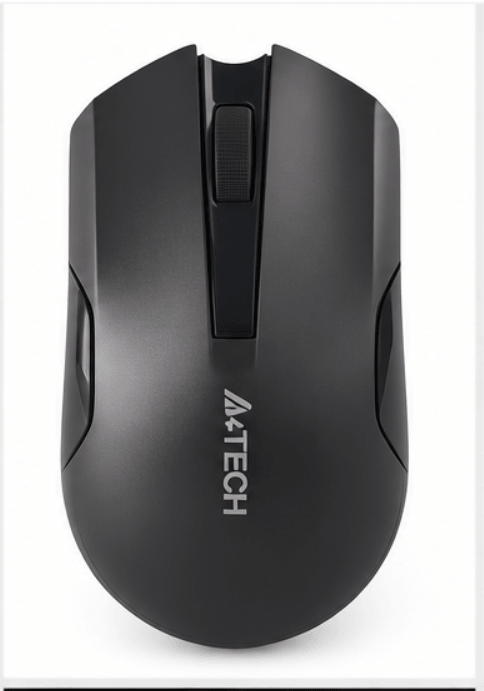
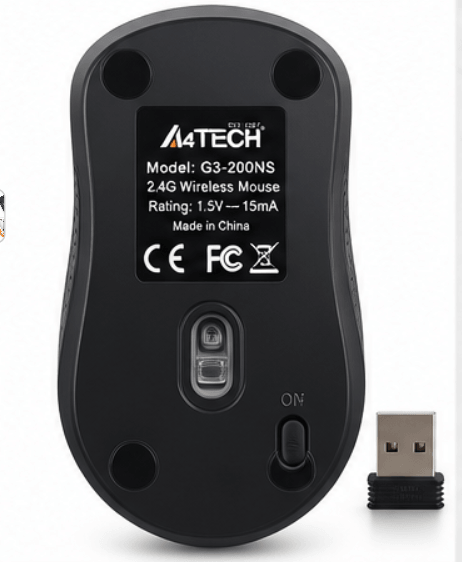
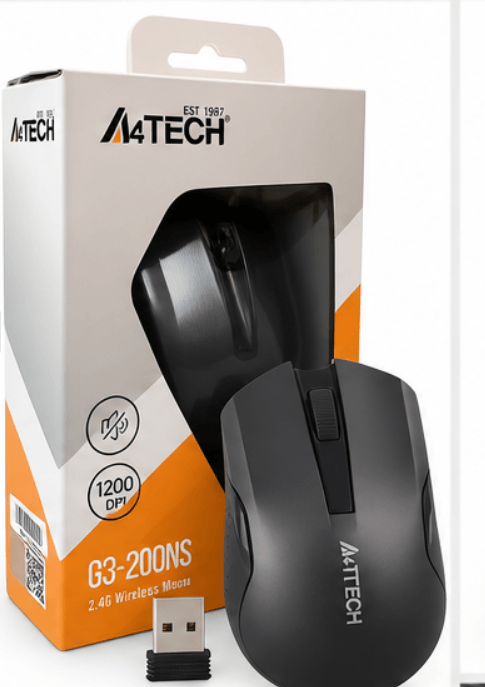
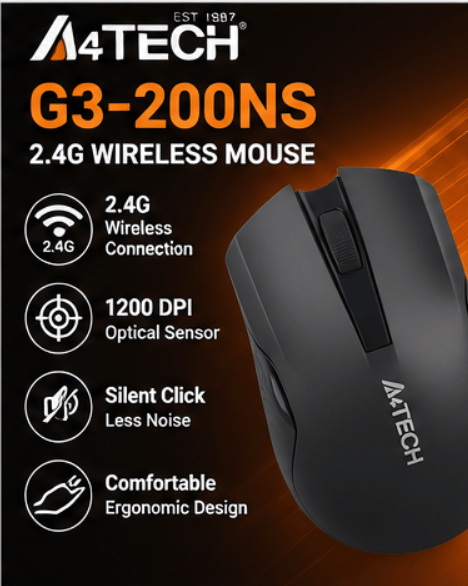
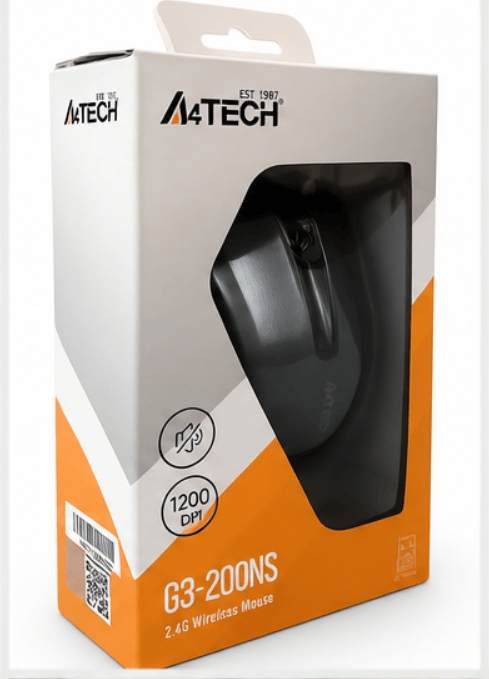
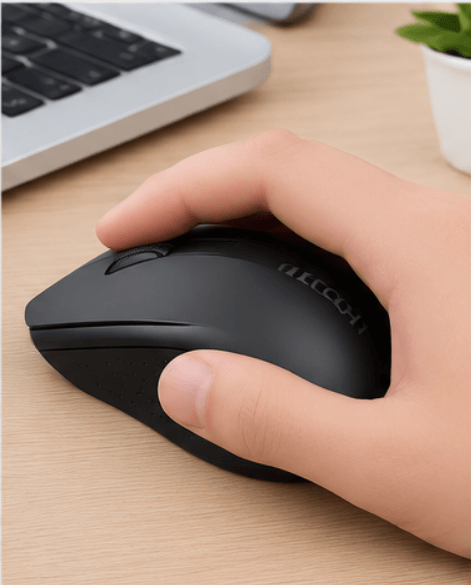
A4Tech G3-200N Wireless Mouse
₨ 3,900 Original price was: ₨ 3,900.₨ 2,499Current price is: ₨ 2,499.
are viewing this product right now
purchased this product in the last 30 minutes
- Free Home Delivery: Get your A4Tech G3-200N Wireless Mouse delivered across Pakistan.
- Best Prices in Pakistan: Budget-friendly pricing on every A4Tech G3-200N Wireless Mouse order.
- Cable-Free Desk: A 2.4GHz wireless link keeps your workspace neat.
- Plug and Play Receiver: The nano USB receiver connects quickly to your PC or laptop.
- Power Saving: Auto sleep helps one AA battery last longer.
- Symmetric Shape: Suits both left-handed and right-handed users.
- Colour Options; Choose from black, orange, red, blue or grey, subject to stock.
- Portable Size; Light enough to slip into a laptop bag.
- Optical Tracking: Smooth cursor control on most flat surfaces.
- Everyday Use: Works well for office, study, school and home laptops.
Customers
Delivery
Exchange
& Safe Checkout
Customer Support
Description
Best A4Tech G3-200N Wireless Mouse in Pakistan on kunshop.pk at the Best Price with Free Delivery
Tired of tangled cables on your desk? The A4Tech G3-200N Wireless Mouse is a simple 2.4GHz mouse that connects through a tiny USB nano receiver. It suits home, office and study desks, and it works as a wireless mouse for laptop and PC alike. Plug in the receiver, load one AA battery, and you’re pointing in minutes.
A4Tech G3-200N Wireless Mouse Overview
This is a symmetric optical mouse, so left-handed and right-handed users both get a comfortable fit. It uses a 2.4GHz connection with a nano USB receiver and a three-button layout. Resolution is 1000 or 1200 DPI, depending on the version. A4Tech lists Windows support, including Windows 10 and 11 on the newer version. It’s an A4Tech wireless mouse built for everyday work, not gaming.
Types of Wireless Mice for PC and Laptop
Wireless mice come in a few flavours. Bluetooth models skip the USB receiver but often cost more, while 2.4GHz models like the G3-200N use a receiver and connect fast. Rechargeable ones save on batteries, and this one takes a single AA. Gaming mice add higher DPI and extra buttons you won’t need for office work. For plain desk use, a wireless optical mouse like this is enough.
Customer Benefits of the A4Tech G3-200N
Set it up once and the A4Tech G3-200N Wireless Mouse mostly looks after itself. A4Tech says it falls asleep after a fraction of a second of inactivity, which helps the battery. It also lists a 16-in-One hotkey feature for gesture shortcuts. Need a keyboard or USB hub to match? Check our Mobile & Computer Accessories category.
Material and Build Quality
A4Tech’s own pages don’t name the body material, so we won’t guess. They do confirm a symmetric shape, a size of about 107 × 60 × 38 mm and a weight near 81 g with the battery on the newer version. Colours include black, black-orange, black-red, black-blue and grey, depending on stock.
How to Choose the Best Wireless Optical Mouse?
Start with how you work. For office, study or a living-room laptop, a 1000 to 1200 DPI optical mouse is plenty. Check the receiver too, since a nano USB one sits in the port without sticking out much. AA batteries are easy to find, which makes battery swaps painless. Buy from a seller who answers messages and takes returns, and browse our Electronics category if you want to compare.
Specifications
- Model: G3-200N (the G3-200NS is the silent-click version)
- Connection: 2.4GHz wireless with nano USB receiver
- Sensor: Optical
- Resolution: 1000 or 1200 DPI, depending on version
- Report rate: 125Hz
- Buttons: 3
- Design: Symmetric, suits left and right hands
- Size/Dimensions: About 107 × 60 × 38 mm
- Weight: About 81 g with battery (newer version)
- Power: One AA alkaline battery
- Wireless range: Up to 10 to 15 metres, per A4Tech
- Battery life: Up to 12 months claimed by A4Tech, real life varies with use
- Compatibility: Windows PCs and laptops, Windows 10 and 11 on newer versions
- Colours: Black, black-orange, black-red, black-blue or grey, depending on stock
Key Features to Look For in a G3-200N Wireless Mouse
- Plug and play: The nano receiver connects without extra setup, so you can start working fast.
- 2.4GHz wireless: It gives a steady link of roughly 10 metres or more, enough for a desk or small room.
- Auto power saving: The mouse sleeps when idle, so one AA battery lasts longer.
- Optical sensor: It tracks on most flat desks and mouse pads, with no ball to clean.
- Symmetric shape: Left-handed and right-handed users get the same comfortable grip.
- 16-in-One hotkeys: Gesture shortcuts can speed up repeated tasks.
How to Connect A4Tech G3-200N to a Computer
Slot an AA battery into the mouse and plug the nano receiver into a USB port. Windows usually finds it within seconds, so move the mouse and watch the cursor. If nothing happens, check the battery direction and the power switch under the mouse, if yours has one. Try another USB port too, and keep the receiver away from big metal objects.
Benefits of Buying an A4Tech Wireless Mouse from kunshop.pk
Ordering an A4Tech wireless mouse from kunshop.pk is simple. You get clear product details, you can message the team before you buy, and the A4Tech G3-200N Wireless Mouse ships free across Pakistan. We’d rather point out what it doesn’t do, like gaming, than oversell it.
Care & Maintenance Tips for Your G3-200N Mouse
Keep the receiver plugged in or tucked away so it doesn’t get lost. Wipe the sensor window with a dry cotton swab if the cursor starts to jump. Take the battery out if you won’t use the mouse for a few weeks.
Top Uses of a Wireless Computer Mouse
A wireless computer mouse is handy anywhere cables get in the way. Use it at an office desk, with a laptop on a sofa or bed, or at a study table. The 10-metre range helps when you present from a classroom PC. It also fits in a laptop bag next to the charger.
Return / Warranty Information
- Return window: Eligible orders can go back within 7 days of delivery.
- Test early: Try the mouse the day it arrives.
- Faulty or wrong item: Message us inside the window and we’ll sort out the next step.
- Keep the box: Original packaging and the receiver make returns smoother.
- How to start: Message us on WhatsApp or call with your order details.
- Warranty note: Ask our team about manufacturer warranty before you order.
Price Range in Pakistan
The A4Tech G3-200N Wireless Mouse sits at the budget end of the wireless mouse market in Pakistan. Current price: Starting from PKR – Contact Seller. Prices move with stock, so message kunshop.pk on WhatsApp for the latest A4Tech G3-200N price in Pakistan. Last updated: 3 October 2026.
Delivery Service — kunshop
- Same-day dispatch: Orders placed before 3:00 PM
- Cash on Delivery (COD): Available nationwide
- Free delivery: All over Pakistan
- Tracked shipping: With SMS updates
- Secure packaging: Keeps the mouse safe in transit
Why Buy an A4Tech Wireless Mouse from kunshop.pk?
- 100% Authentic Products: Only genuine items sold
- Best Price in Pakistan: Price-match guaranteed
- Free Shipping: All over Pakistan
- Easy Returns: 7-day hassle-free return policy
- Dedicated Support: 7 days a week via call and WhatsApp
FAQs About the A4Tech G3-200N Wireless Mouse
Is the A4Tech G3-200N genuine when you buy online?
Yes. We sell new units only and describe them as they are.
Can I order the A4Tech G3-200N with cash on delivery?
Yes. COD works nationwide, with free delivery across Pakistan, including Lahore, Karachi and Islamabad.
How long does the A4Tech G3-200N battery last?
A4Tech claims up to 12 months in ideal use, and heavy daily use will shorten that. Keep a spare AA battery handy.
What is the return policy on the A4Tech G3-200N?
You get 7 days from delivery. Contact us inside that window if the unit is faulty or wrong.
How do I contact support about my A4Tech G3-200N order?
Call us or message us on WhatsApp. Support is open 7 days a week.
Customer Trust and Support at kunshop
kunshop.pk is an online shop that sells everyday products across Pakistan. What you can actually check is the practical stuff: cash on delivery, SMS tracking and a 7-day return window. Message the team on WhatsApp first if you’re unsure. They’ll tell you what the G3-200N can do and where it falls short.
Ready to Upgrade Your Desk Setup?
If you want a cable-free desk without a big spend, the A4Tech G3-200N Wireless Mouse gets the job done. Order your A4Tech G3-200N Wireless Mouse today from kunshop.pk and get free home delivery across Pakistan, including Lahore, Karachi and Islamabad. Cash on delivery is available too. Message us on WhatsApp now to confirm the latest price and availability.
Related Product
Related Products
-
Sale!

Series X Metal Chain Watch
₨ 3,399Original price was: ₨ 3,399.₨ 2,699Current price is: ₨ 2,699. -
Sale!

Nokia 125
₨ 9,000Original price was: ₨ 9,000.₨ 5,699Current price is: ₨ 5,699. -
Sale!
Nokia BM10 Mini Phone
₨ 8,000Original price was: ₨ 8,000.₨ 4,499Current price is: ₨ 4,499. -
Sale!

T55+ Smart Watch
₨ 5,400Original price was: ₨ 5,400.₨ 3,299Current price is: ₨ 3,299. -
Sale!

Nokia 3310
₨ 11,000Original price was: ₨ 11,000.₨ 7,999Current price is: ₨ 7,999.

Reviews
There are no reviews yet.