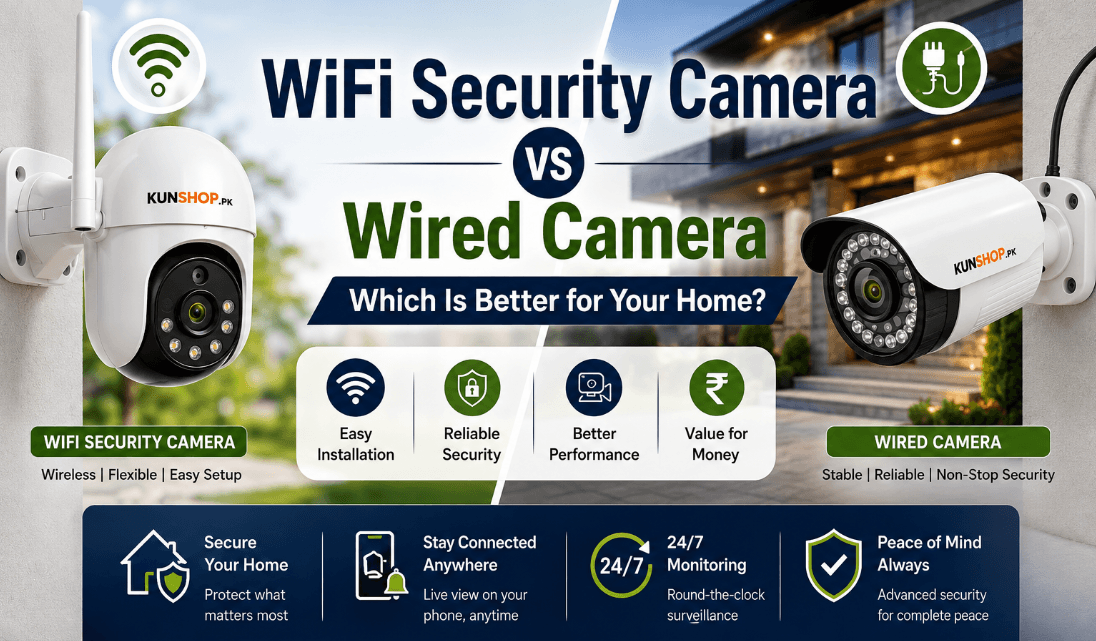
WiFi Security Camera vs Wired Camera: Which Is Better for Your Home?
[Quick Answer box — short paragraph right under author line]
Short version: a WiFi security camera is easier to install and better for renters or small apartments, while a wired CCTV camera is more reliable and better for larger homes or anyone who wants zero dependency on internet stability. Most homeowners in Pakistan who want the best of both end up mixing the two — wired at the main gate, WiFi indoors.
Choosing between a WiFi security camera and a wired camera is one of those decisions that feels simple until you actually start comparing options. Walk into any electronics market in Lahore or browse camera listings online, and you’ll find dozens of models promising “best security” with very different setups underneath. Some rely on your home internet, others run on a dedicated cable back to a recorder. Both can protect your house, but they do it in very different ways, and picking the wrong WiFi security camera vs wired camera setup for your situation usually shows up later, either as a shaky video feed or an installation headache you didn’t expect.
This guide breaks down how each camera type actually works, where they differ in day-to-day use, and which one makes more sense depending on your home, your budget, and your internet situation here in Pakistan.
What Is a WiFi Security Camera?
A WiFi camera connects to your home network wirelessly instead of running a physical data cable back to a recorder. Once it’s paired with your router, it streams footage over your internet connection, which is what lets you check your front gate from your phone while you’re at the office or out running errands.
Most WiFi cameras still need a power outlet nearby, though battery-powered “wire-free” models exist too (more on that distinction below). The camera captures video, compresses it, and sends it through your WiFi signal to either a cloud server or a memory card sitting inside the camera itself.
A few things worth knowing about how this actually plays out in practice:
- The camera needs a reasonably strong WiFi signal at its mounting spot, not just anywhere in the house.
- Most models support both 2.4GHz and 5GHz bands, and 2.4GHz usually reaches farther through walls.
- Footage can be viewed live or reviewed later, depending on whether you’ve set it to record continuously or only on motion.
- A weak or dropped internet connection can interrupt live viewing and cloud uploads, even if the camera itself is still running.
- Setup is usually done entirely through a mobile app, without needing an electrician or technician.
What Is a Wired Security Camera (CCTV)?
A wired camera, often just called CCTV in Pakistan, connects through a physical cable — either a single PoE (Power over Ethernet) line that handles both power and data, or an older-style setup with separate power and coaxial cables. That cable runs back to a DVR or NVR, which is the box that actually records and stores the footage. PoE itself is a standard IEEE technology, not a brand-specific feature — Cisco’s overview of Power over Ethernet explains how a single cable carries both power and data.
Because the connection doesn’t depend on your home’s wireless signal at all, a wired setup tends to stay far more consistent, especially in houses with thick concrete walls that weaken WiFi range, which is common in a lot of Pakistani construction.
Here’s what typically comes with a wired setup:
- The camera runs on continuous power through the cable, so there’s no battery to worry about.
- Recording is usually stored locally on the DVR or NVR hard drive rather than relying on the cloud.
- Video quality tends to stay sharper since it isn’t compressed as heavily for wireless transmission — many wired systems support 4K recording, while WiFi cameras are often capped closer to 1080p–2K to keep the wireless stream manageable.
- Installation involves running cables through walls or ceilings, which is more work upfront and is usually a paid technician job rather than a DIY one.
- Once it’s installed, a wired system generally needs very little ongoing attention.
WiFi vs Wire-Free vs Wired: What’s the Difference?
“WiFi camera” actually covers two different setups, and mixing them up is where a lot of buyers get confused:
- Plug-in WiFi cameras connect wirelessly for data but still run on constant power from an outlet, so there’s no battery to manage — power-wise, they behave a lot like a wired camera.
- Wire-free (battery) cameras skip cables entirely, running on a rechargeable battery that needs periodic charging or a solar panel.
- Wired CCTV cameras use a physical cable for both power and data, with no WiFi dependency at all.
If you want the flexibility of no drilling but don’t want to think about charging a battery, a plug-in WiFi camera is the middle ground between wire-free and fully wired.
WiFi Camera vs Wired Camera: Key Differences
Installation:
Setting up a WiFi camera is closer to a weekend DIY job. You mount it, connect it to your router through the app, and you’re done in maybe twenty minutes. A wired CCTV setup, on the other hand, usually needs cable routing through walls or false ceilings, and most homeowners end up calling in a technician rather than doing it themselves — installation labor is often a bigger cost than the camera itself for a multi-camera wired setup.
Reliability:
This is where the two really part ways. A wired camera stays connected as long as it has power, regardless of what’s happening with your internet. A WiFi camera depends entirely on a stable wireless signal, so if your router is far away or your area has frequent internet drops, you’ll notice gaps in remote viewing even if the camera is technically still recording locally. This gets more noticeable the more cameras you add — a busy WiFi network with several cameras competing for bandwidth is more prone to dropped footage than a single wired NVR handling the same number of feeds.
Range and Coverage:
WiFi signal weakens with distance and thick walls, so a camera positioned at the far end of a large house or near a boundary wall might struggle to stay connected. Wired cameras don’t have this limitation since the cable carries the signal directly, meaning placement is really only limited by how far you’re willing to run the cable.
Storage: Cloud, SD Card, or Local Recorder
WiFi cameras usually give you two storage choices: a memory card inside the camera, or a cloud subscription that backs footage up online. Wired systems almost always record to a local DVR or NVR, often with several terabytes of storage, meaning months of footage without paying a recurring fee.
Power and Internet Requirements:
A wired camera can often keep recording locally even if your internet goes down, since the DVR doesn’t need the internet to save footage, only to let you view it remotely. A WiFi camera is more dependent on both power and a working internet connection to function the way you’d expect.
Is a WiFi or Wired Security Camera Safer From Hacking?
Security in this context means two things: physical reliability, and protection from hacking. A wired camera that’s kept off the internet entirely is significantly harder to compromise remotely, since there’s no direct network path leading into it — though physical tampering or vulnerabilities in the NVR itself are still possible. That’s part of why some businesses in Pakistan still prefer closed-circuit wired systems for sensitive areas.
WiFi cameras are exposed to the internet by design, which does introduce some risk. That said, this risk is manageable. Cameras that support WPA2 or WPA3 encryption, combined with a strong, unique router password instead of default login details, substantially reduce the risk for the vast majority of homes. The bigger real-world risk usually isn’t the camera brand — it’s leaving default passwords unchanged.
WiFi Security Camera: Advantages and Disadvantages
- Quick to install without drilling or professional help, which suits rented apartments well.
- Easy to reposition later if you rearrange furniture or change what you want covered.
- Supports two-way audio and mobile app alerts, so you can talk through the camera or get instant motion notifications.
- Depends on a stable WiFi signal, so weak coverage areas can cause dropped footage.
- Cloud storage plans can add a recurring monthly cost if you don’t want to rely on a memory card.
Wired Security Camera: Advantages and Disadvantages
- Delivers a stable, uninterrupted connection that isn’t affected by WiFi congestion or interference.
- Usually captures sharper night vision and video quality since footage isn’t compressed for wireless transfer.
- Keeps recording locally even during internet outages, as long as power stays on.
- Installation takes more time and effort, often requiring cable runs through walls.
- Repositioning a camera later means redoing part of the cable work.
WiFi Security Camera vs Wired Camera: Which Should You Choose?
Best for Apartments and Small Houses:
If you’re renting or living in a smaller space, a WiFi camera usually makes more sense. You avoid drilling into walls you don’t own, and one or two cameras covering the entrance and living area is often enough coverage.
Best for Front Door and Entrance Monitoring:
For a single front door or entrance camera, either type works well, but a plug-in WiFi camera tends to be the more practical pick since it’s easy to install near the door without running cable across the house.
Best for Large Homes and Outdoor Coverage:
For bigger houses, boundary walls, or multi-camera outdoor setups, wired CCTV generally holds up better. It won’t lose connection at the far end of the property, and local NVR storage handles multiple camera feeds without the storage limits a memory card runs into.
Can You Use Both? The Hybrid Setup
A lot of homeowners in Pakistan don’t pick just one. A common approach is running wired cameras at the main gate and entrance — where reliability matters most and cable access is easy during construction — while using WiFi cameras for indoor rooms, a backyard, or spots added later without redoing wiring. This gives you the stability of wired coverage where it counts most, without committing to a full cabled system for every camera.
WiFi and Wired Security Camera Prices in Pakistan:
Pricing varies quite a bit depending on resolution, brand, and whether you’re buying a single camera or a full system. If you’re comparing options for your home, kunshop.pk’s security camera collection lists both WiFi and wired models across different price ranges, which makes it easier to compare specs side by side before deciding.
Generally speaking, wired systems cost more initially due to cabling and labor, but they skip ongoing cloud subscription fees. WiFi systems are cheaper to get started with, but if you opt for cloud storage instead of a memory card, that monthly cost adds up over a year or two. If you’re comparing options for your home, kunshop.pk lists both WiFi security cameras and wired CCTV systems across different price ranges, which makes it easier to compare specs side by side before deciding.
Best WiFi and Wired Security Cameras for Home Use in Pakistan
Whether you lean toward a wireless setup for flexibility or a wired system for long-term reliability, the right camera really comes down to matching the product to your home’s layout and your internet situation. On kunshop.pk, you’ll find a dedicated home security camera section covering both categories, along with detailed specs for night vision range, storage options, and app features, so you’re not guessing based on marketing claims alone.
If you’re setting up your first camera or expanding an existing system, it’s worth checking kunshop.pk’s current security camera listings before buying elsewhere, since comparing a few models side by side usually saves you from paying for features you won’t actually use.
Frequently Asked Questions
Which is better, WiFi or wired security camera?
Neither is universally better. WiFi cameras suit renters and smaller homes needing quick, flexible installation, while wired cameras suit larger properties and anyone who wants maximum reliability without depending on internet stability.
Can a WiFi camera work without internet?
It can record locally to a memory card without internet, but you won’t be able to view footage remotely or receive cloud backups until the connection is restored.
Do wired cameras need WiFi to function?
No, a wired camera records to its DVR or NVR through the cable connection alone. Internet is only needed if you want to view footage remotely from your phone.
How far can a WiFi security camera work from the router?
Most WiFi cameras start losing signal strength beyond roughly 30 to 50 feet indoors, less through thick concrete walls common in Pakistani homes.
Are wired CCTV cameras safer than WiFi cameras from hacking?
A wired camera kept off the internet is the hardest to hack since there’s no remote access path, but a WiFi camera with strong encryption and a unique password is secure enough for most households.
Do WiFi cameras record all the time or only on motion?
Most WiFi cameras let you choose either mode. Continuous recording uses more storage and bandwidth, so many households set cameras to record on motion detection to save space and cloud costs.
Can I use a WiFi camera without paying for a subscription?
Yes. Recording to a local memory card instead of the cloud avoids any recurring fee — you just lose the automatic off-site backup a cloud plan provides.
How much does installing a wired security camera system typically cost in Pakistan?
Cost depends on the number of cameras and cable length, but labor for running cables through walls or ceilings is often a bigger share of the total cost than the camera hardware itself.
Conclusion: Which Camera Is Right for Your Home?
If your priority is flexibility, easy setup, and remote access without dealing with cables, a WiFi security camera fits most apartments and small homes well. If you’re covering a larger property, want the most consistent recording possible, and don’t mind the upfront installation work, a wired CCTV system is the stronger long-term choice. Many homeowners in Pakistan actually end up mixing both, wired cameras at the main entrance and gate, WiFi cameras for indoor or secondary spots. Whichever direction fits your home better, browsing kunshop.pk’s security camera collection is a good next step to compare real specs and pricing before you buy.